
Use of Library Resources#
Login to “My Library Record”
Before performing your search on Primo@Lib, it is better to login your "My Library Record". which allows you to:
- Renew your checked out items
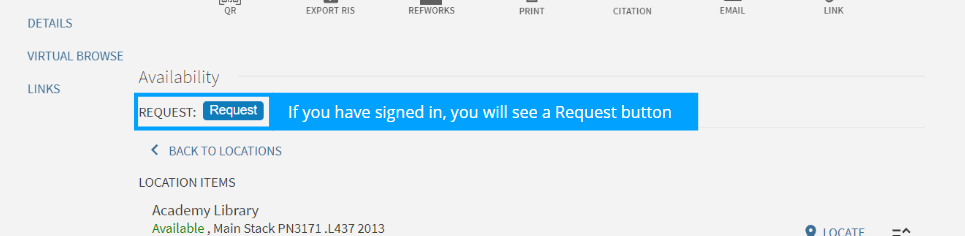
- Request Library items
- Access e-resources (eDatabases) & digital resources (HKAPA Digital)
- Save your searches & create favourite lists
- Set up alerts for items that meet your query
Library Catalogue - Search Profile
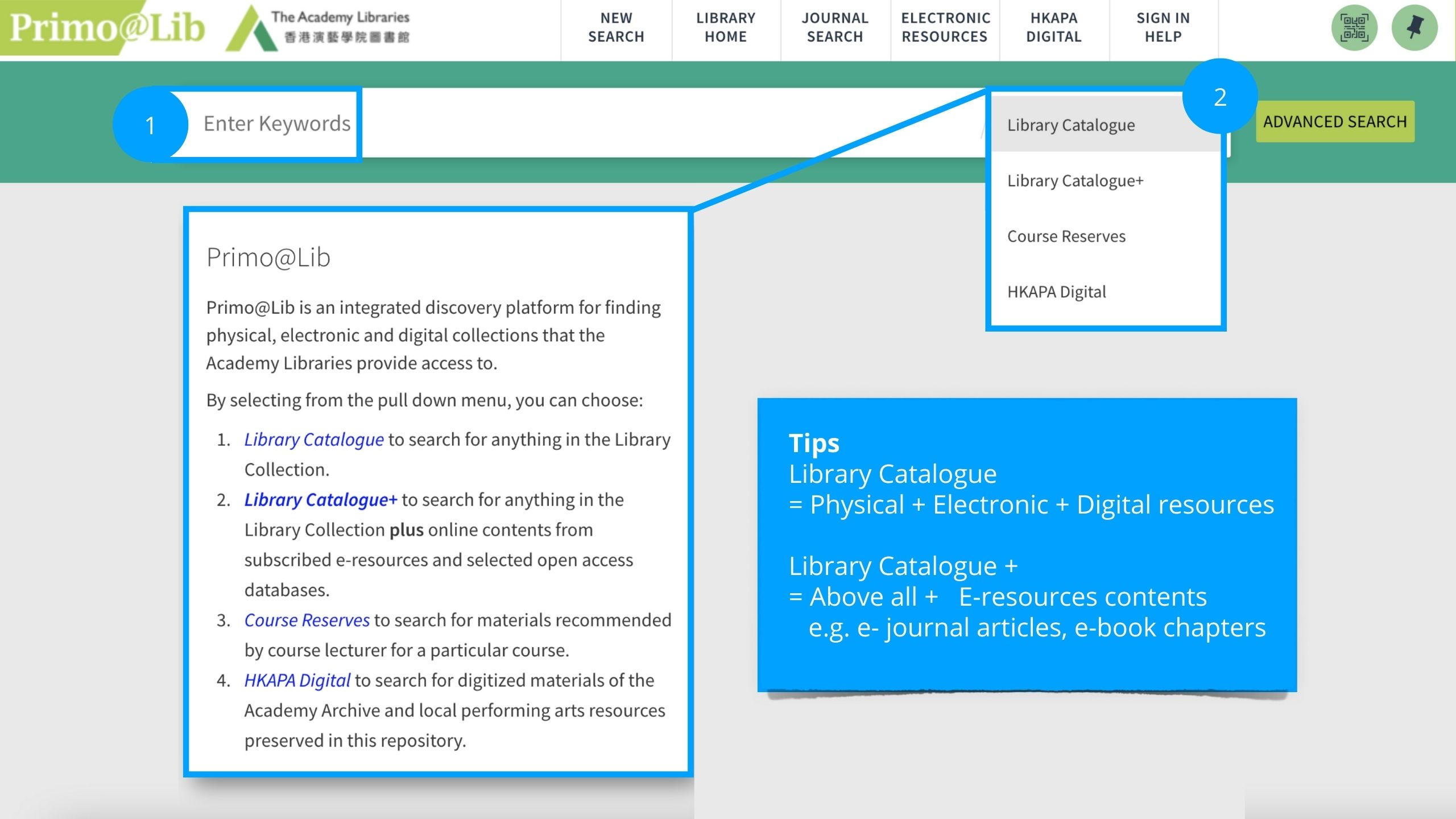
By selecting from the pull-down menu (Search profile), you can choose:
Library Catalogue (圖書館目錄) to search for anything in the Library Collection
Library Catalogue+ (圖書館目錄+) to search for anything in the Library Collection plus online contents from subscribed e-databases on journal articles, multimedia resources, etc.
Library Catalogue - Basic Search
Library Catalogue
Primo@Lib is an integrated discovery platform for finding physical, electronic and digital collections that the Academy Libraries provide access to.
You can simply type your keyword(s) into the search bar located on the Library homepage or directly on the Primo@Lib page.
Library Catalogue - Boolean Operators
Library Catalogue - Read & Refine Search Results
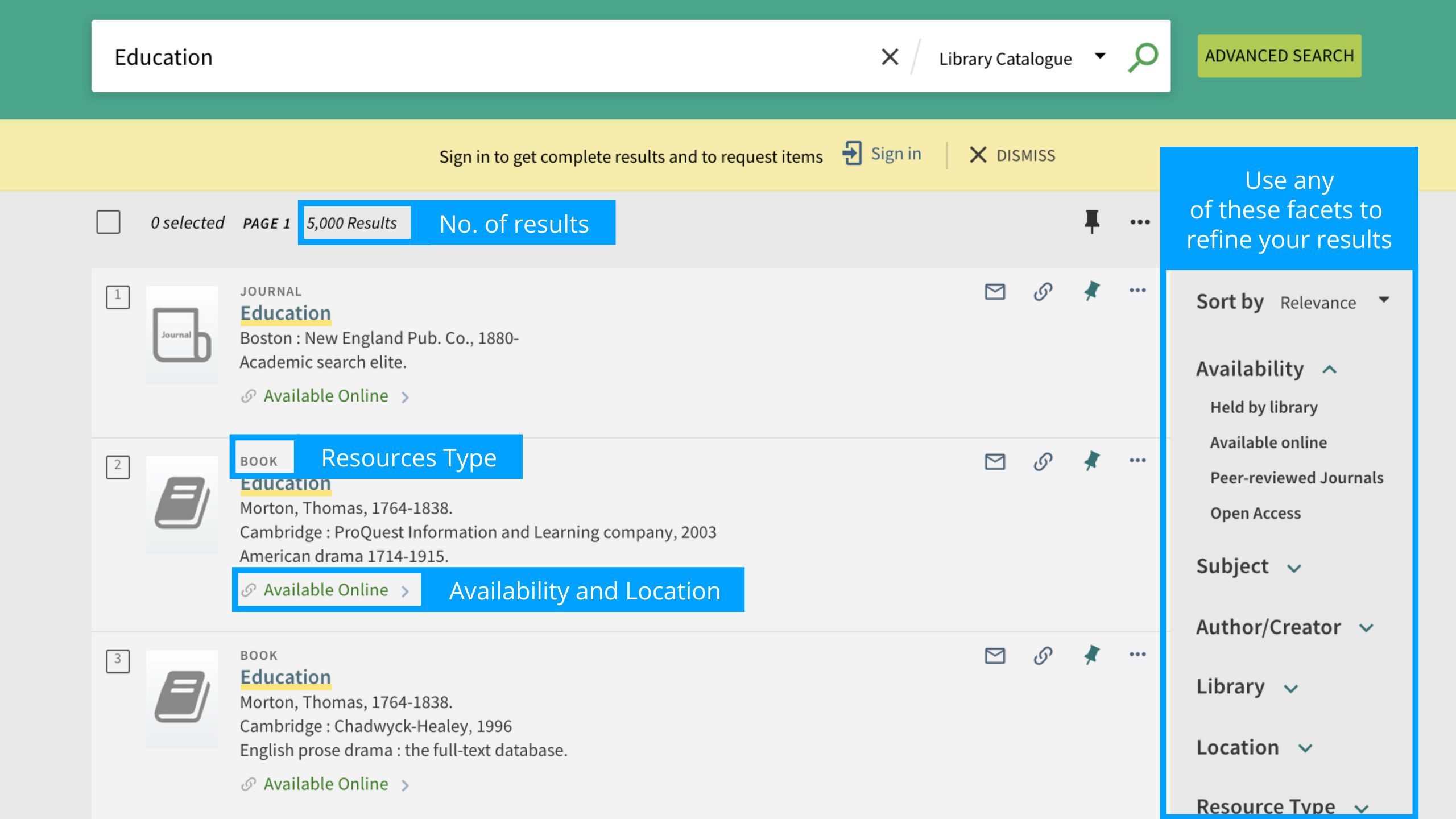
Refine your Results
Filters enable you to refine broad searches by narrowing your results, which can be useful when a search returns a large number of results. Applying multiple filters simultaneously produces a targeted set of results.
Electronic Resources - Database A-Z
All the Library's electronic resources can be found under the Database A-Z.
Access to E-Resources
1. On Campus Access
Login is not required if you access them on campus.
2. Remote Access
You have to log in with your Academy account if you are accessing from remote (outside campus).
Always access databases and e-resources through the Library catalogue or the links provided by the Library. External links may result in limited access due to authentication issues.
Digital Collection - HKAPA Digital
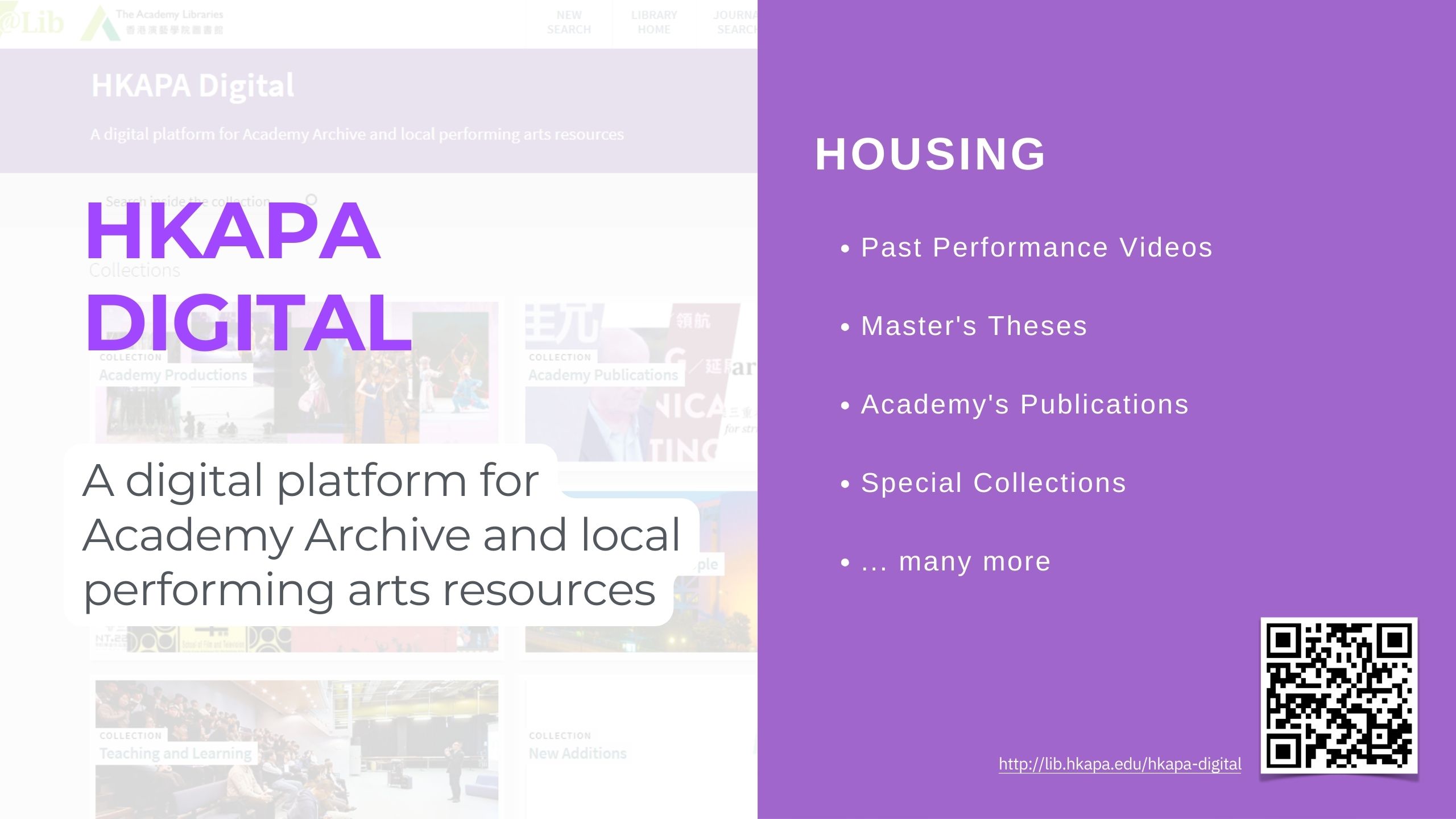
HKAPA Digital, a digital repository developed by the Library, consists of different types of materials produced by the Academy and the Academy community.
Also, all digital files are searchable in Primo@Lib.
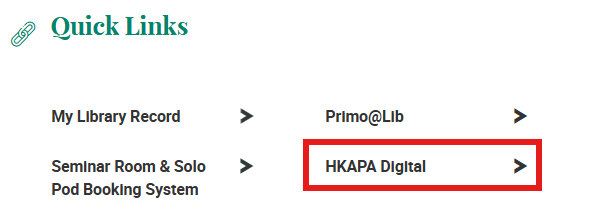
Find HKAPA Digital
From the Library Homepage > Collections & Resources> HKAPA Digital.
Suggest a Purchase
If you cannot find the item that you need in the Academy Libraries, you may request the Library to purchase the item by completing the online form "Suggest a Purchase".